
Simply Sing: My Singing App
Simply LtdMusic & Audio
4.511.86K Reviews
- Version
- 2.12.1
- Installs
- 10.00M
- Age Rating
- Everyone
Screenshots

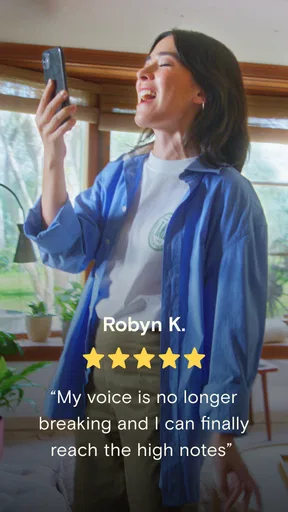
Our Review of Simply Sing: My Singing App
 Analysis by Appyee
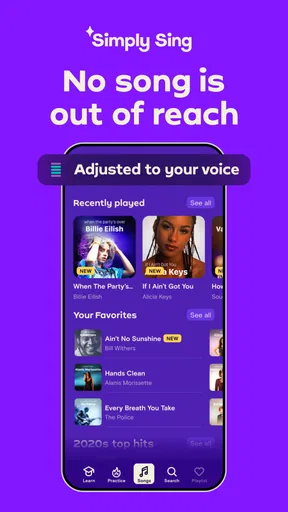
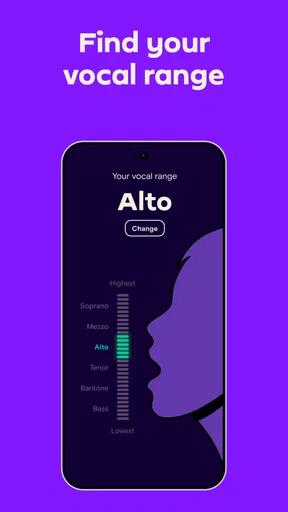
I approach Simply Sing: My Singing App as a practice companion for people who want to sing more comfortably, not as a replacement for lessons or a recording studio. It is a free music and audio app from Simply Ltd, and its central idea is appealingly practical: make songs approachable for different voices, including when the original notes feel too high or too low. That focus matters more to me than promises of instant vocal transformation.
The current Android release is version 2.11.9, following an initial release on January 11, 2024. Those facts show the app has moved beyond a brand-new launch, but they do not tell me exactly which features changed or how every update affected the experience. I would judge it by what it offers now: a guided way to work on singing, with song practice and tools intended to help users develop their voice.
Who will get the most from it
I can see this working especially well for someone who already sings casually but gets discouraged when a familiar song sits outside their comfortable range. Rather than treating that mismatch as proof that the song is impossible, the app’s core pitch is to let people enjoy singing songs that suit their own high or low range. That makes it a more inviting starting point than simply searching for backing tracks and trying to keep up with the original recording.
It may also suit a beginner who wants a low-pressure routine at home. A short practice session can be easier to start than arranging a lesson, and the app’s guided format can give that session a focus. I would use it to build familiarity and confidence, then treat any improvement as something to check over time rather than expecting every practice to produce an obvious leap.
Making practice useful in everyday life
A realistic way to fit it into a day is to choose one song you already know, spend a few minutes trying a comfortable version, and pay attention to which phrases feel strained. That gives you a clearer goal than singing through a long playlist without noticing what is difficult. If a passage repeatedly feels awkward, slow down your expectations: repeat a manageable section and stop before your voice feels tired. The useful habit here is focused, comfortable practice, not pushing for volume or range just to chase a score.
For a nervous singer, privacy can be part of the appeal. You can practise on your own before sharing anything or singing in front of other people. I would start with a song that feels familiar rather than picking the hardest track in the catalogue; knowing the melody frees up attention for the vocal work. If you are using the app around other people, headphones can help keep the music clear without turning a living room into an impromptu performance space.
Where it differs from ordinary music apps
A streaming service is better when I simply want to listen to an artist’s original recording, explore new music, or build playlists. A karaoke app is usually the more obvious pick when the priority is performing to accompaniment. Simply Sing is aimed at the act of practising your own voice, so its appeal depends on wanting guidance rather than just a huge library of music or a quick sing-along.
That distinction also sets a sensible limit. I would not choose it as my only tool for learning musicianship, preparing for a live audition, or getting detailed feedback from a qualified teacher. App-based practice can be convenient, but it cannot observe everything a vocal coach can, such as posture, tension, or how a singer responds to corrections over a lesson. Used as a supplement, it has a clearer role; used as a complete substitute, it may leave important questions unanswered.
What I would check before settling in
Because access and ongoing use can depend on the available plan, I would check the current in-app choices before building a routine around features I expect to use every day. The app is free to download, with in-app purchases listed from $6.99 to $89.99 per item. That range makes it worth understanding what is included at no cost and what a purchase unlocks before committing; I would not assume that every song or practice option is available for free.
It is also worth checking that your device can run it: the listed Android minimum is version 8.0. The content rating is Everyone, which makes the stated age classification broad, though parents should still decide what is suitable for their own household. The app has an average rating of 4.3 from around 271,000 ratings, alongside roughly 11,000 written reviews and more than 5 million installs. Those figures suggest many people have tried it, but they are not a promise that its approach will suit every voice or practice style.
Getting Started with Simply Sing
The first thing I noticed when I downloaded Simply Sing: My Singing App was how intuitive the interface is. You don't need to be a tech wizard to navigate through it, which is a big plus for someone like me who's not exactly a tech genius. The app guides you through a quick setup, and before you know it, you're ready to start singing.
The app offers a wide range of songs across various genres. Whether you're into pop, rock, or even classical, there's something here for everyone. I was genuinely impressed with the song selection, and I found myself humming along to some of my all-time favorites.
The Singing Experience
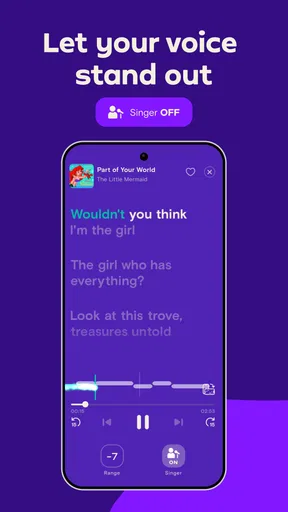
One of the standout features is the real-time feedback. As you sing, the app provides instant feedback on your pitch and timing. It's like having a vocal coach in your pocket. The feedback is encouraging and constructive, which makes the learning process fun rather than frustrating.
There are also various vocal exercises designed to help improve your range and control. I found these exercises to be quite helpful, especially the ones aimed at breathing and diaphragm control. They might seem a bit challenging at first, but hey, practice makes perfect, right?
Customization and Progress Tracking
Simply Sing allows you to customize your experience. You can choose the level of difficulty and even select specific areas you want to work on, like pitch or vibrato. This personalized approach makes it feel like the app was tailored just for you.
Another cool feature is the progress tracking. You can see how you've improved over time, which is pretty motivating. It's like having a little musical diary that celebrates your achievements, big or small.
Community and Social Sharing
What's singing without an audience? Simply Sing encourages you to share your performances with friends or even the app's community. You can get feedback from fellow users, which is a great way to connect with others who share your passion for music.
There's also a leaderboard feature that lets you see how you stack up against other singers. It's a fun way to add a bit of friendly competition to your practice sessions.
Final Thoughts
Overall, Simply Sing is a fantastic tool for anyone looking to improve their singing skills or just have a bit of fun. The user-friendly interface, real-time feedback, and community features make it a standout in the world of music apps.
Whether you're a seasoned singer or someone who just loves to croon in the shower, this app has something to offer. So why not give it a try? Who knows, you might just discover your inner diva.
A practical way to read the feedback
I would treat pitch and timing prompts as clues for the next attempt, not a verdict on whether I can sing. A phone-based assessment is most useful when I keep the conditions steady: sing at a comfortable volume, hold the device in roughly the same place, and practise the same phrase more than once. If the feedback changes sharply between attempts, room noise, distance, or a very soft delivery may be affecting what the app hears. That is a reason to repeat the test calmly, not to force the note.
One useful trade-off is that immediate feedback can make practice feel more purposeful, but it can also pull attention away from musical expression. I would alternate between focused repetitions and a full, relaxed sing-through. The first helps me notice a specific challenge; the second reminds me that a song is more than a sequence of targets. If I find myself chasing a perfect indicator while tensing my throat, I would pause and return to an easier section.
Choosing songs and setting a sustainable routine
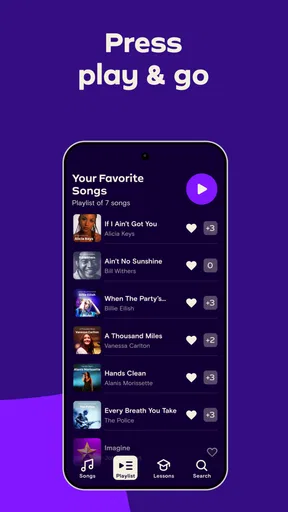
Song choice can make or break the experience. A track with a familiar melody and a moderate pace is a better first test than a dramatic chorus with long high notes. I would keep a small rotation: one song that feels comfortable, one that stretches me gently, and one purely for enjoyment. This makes it easier to notice whether practice is becoming more manageable without turning every session into a test of range.
For a busy weekday, even a brief session can have a clear purpose: warm up gently, work on one tricky phrase, then sing the song once without stopping. On another day, I might use the exercises rather than a full song if I want to focus on control. I would avoid practising through hoarseness or discomfort; an app can guide an activity, but it cannot decide when my voice needs rest. Anyone with persistent pain or voice concerns should seek qualified advice rather than trying to solve it through repeated drills.
What customization can—and cannot—do
Difficulty choices and areas such as pitch or vibrato give practice a sense of direction, but customization is not the same as a personal vocal assessment. A setting can help me concentrate on one goal; it cannot necessarily explain why a note feels hard or whether my technique is sound. I would use those options to make sessions less overwhelming, then listen to my own comfort and sound rather than assuming the selected focus is the only thing worth noticing.
Progress tracking is most meaningful when I compare like with like. Repeating the same song or exercise under similar conditions gives a more useful picture than comparing unrelated performances from different days. A rough day does not cancel earlier progress, and a better score does not automatically mean my voice is healthier or more expressive. I find this distinction important because numerical feedback can be motivating while still being only one part of learning to sing.
Sharing is optional, not the point
Community features and leaderboards can add a social reason to return, especially for singers who enjoy encouragement or light competition. They will not suit everyone. If comparison makes me self-conscious, I can keep practice private and focus on my own goals; there is no need to turn a personal hobby into a public performance. If I do share, I would choose a recording or song I feel comfortable with and remember that comments from other users are opinions, not professional instruction.
This is another area where Simply Sing differs from a private lesson. A community can make singing feel less solitary, but a leaderboard rewards comparison in a way that may distract from gradual progress. I would use the social side as an optional extra, not as the measure of whether I am improving. For someone who wants discreet, solitary practice above all else, the app’s sharing elements may be easy to ignore rather than a reason to choose it.
Who may prefer another approach
If I mainly want to sing along to the exact original artist, a music player is simpler. If I want a performance-oriented karaoke session, a karaoke-first service may fit better. If I need tailored correction for a specific vocal issue or structured preparation for a performance, working with a teacher is the stronger choice. Simply Sing makes most sense in the middle: more guided than casual listening, but less personal than instruction from a person who can hear and respond to me in real time.
It may also be a poor fit for someone who dislikes guided exercises, does not want to practise aloud, or expects a large free library without checking what the app currently includes. Before paying for anything, I would look through the purchase screen carefully and decide whether the available songs and tools match how I actually plan to practise. That small check is more useful than downloading it based only on the promise of singing songs in a comfortable range.
How I would judge it over time
The release history gives a limited but useful frame: the app launched in January 2024, and version 2.11.9 is the current release considered here. That confirms there have been versions after launch, but it does not establish which changes were made or whether a particular feature is new. For existing users, the sensible approach is to judge the present experience directly and review update notes when available, rather than assuming a version number means a specific improvement.
What I would watch for is whether the song selection, practice guidance, and feedback continue to serve the same everyday purpose: helping me sing with less guesswork and more comfort. I would also keep an eye on which parts require a purchase, since that can shape whether the app works as a regular habit or only as an occasional trial. If its current approach makes me practise more consistently and enjoy the songs I choose, that is a meaningful benefit; if I need more detailed correction, I would pair it with lessons or move to a more suitable option.
My recommendation is measured but positive: try it if you want a friendly, structured way to sing at home and are willing to explore its options before spending. Keep sessions comfortable, use feedback as guidance rather than authority, and choose songs that make you want to return. If your goal is simply listening, serious vocal coaching, or a karaoke experience built around performance, another tool will serve you better. For a singer who wants a manageable bridge between those needs, Simply Sing is worth considering.
Privacy and Permissions
See what permissions an app requests and how it handles your data.
- Photos/Media/Files
- read the contents of your USB storage, modify or delete the contents of your USB storage
- Storage
- read the contents of your USB storage, modify or delete the contents of your USB storage
- Microphone
- record audio
- Wi-Fi connection information
- view Wi-Fi connections
- Other
- view network connections, full network access, run at startup, prevent device from sleeping, Google Play license check
Verdict
Strengths of Simply Sing: My Singing App
- User-friendly interface enhances experience.
- Wide variety of songs to choose from.
- Real-time feedback improves singing skills.
- Customizable vocal exercises available.
- Offline mode supports singing anywhere.
Limitations of Simply Sing: My Singing App
- Limited free content without subscription.
- Occasional lag during playback.
- Requires a stable internet connection.
- Some songs missing from the library.
- In-app ads can be distracting.
Other Releases by Simply Ltd
View All
Simply Piano: Learn Piano Fast
Education4.6

Simply Guitar - Learn Guitar
Education4.6

Simply Draw: Learn to Draw
Education4.7

Guitar Tuner - Simply Tune
Music & Audio4.8
Similar Picks in This Category
View All
YouTube Music
Google LLC4.4

Samsung Music
Samsung Electronics Co., Ltd.3.8

Spotify: Music and Podcasts
Spotify AB4.3

JioSaavn - Music & Podcasts
Saavn Media Limited4.3

Lark Player:Music Player & MP3
Lark Player Studio - Music, MP3 & Video Player4.6

StarMaker: Sing Karaoke Songs
SKYWORK AI PTE. LTD.4.3
Frequently Asked Questions
What features does Simply Sing: My Singing App offer to enhance my singing skills?
Simply Sing provides a range of features designed to improve your singing. It includes real-time pitch detection, personalized vocal exercises, and a vast library of songs for practice. The app offers tutorials and feedback on your performance, helping you to improve your pitch, timing, and overall vocal technique.
Is Simply Sing suitable for beginners, or is it more geared towards advanced singers?
Simply Sing is designed for all skill levels, from beginners to advanced singers. The app's intuitive interface and step-by-step tutorials make it easy for newcomers to start learning. Meanwhile, more experienced singers can benefit from advanced exercises and detailed feedback to refine their skills.
Does Simply Sing require an internet connection to function?
While Simply Sing requires an internet connection for initial downloads and updates, many features are available offline once the content is downloaded. This includes access to your saved songs and exercises, allowing you to practice anywhere, anytime, without needing a constant internet connection.
Are there any in-app purchases or subscriptions needed to access all features?
Simply Sing offers a free version with limited features, but to unlock the full range of content, including exclusive songs and advanced tutorials, a subscription is required. The app provides various subscription plans to suit different budgets, offering flexibility for users who want full access.
Can I track my progress and improvements over time with Simply Sing?
Yes, Simply Sing includes a feature that tracks your progress and improvements over time. The app records your performances, provides feedback, and displays your progress on a dashboard. This allows you to see how your skills are developing and identify areas for further improvement.
